

 By
By If you have still not yet looked seriously at Facebook as a channel for your business – I would urge you look again. It has become a platform to be reckoned with – offering a huge amount of value in terms of user base as well as depth of product. In this post I am focusing on one of their products i.e. Facebook Live. This is basically – going “live” to your audience and getting an instant two-way dialogue or conversation going.
How do you go Live?
Everyone who has a Facebook account, has the ability to go live. You are able to go live:
- as YOU (the human) through your Personal Profile (and you can select to go Live to the Public, your Friends…or a specific list of Friends)
- through your Group (or if you have the settings on your Group set up for it – any of your group members can go live to the group)
- through your Business Page
You can physically go live using:
- your Mobile (or tablet)
- your Desktop
- or through third party tools like OBS (free); Wirecast (paid); Ecamm Live (for Mac) or BeLive.tv
What is the big deal about going live?
In case you are reading this and thinking to yourself: “Shelley, that’s all very nice – however, why should I be bothered with Live? I don’t understand what it is?”
Here’s the deal: there is nothing that gets more attention (right now, as at time of writing) – than using Live within your content marketing mix.
Other platforms are also giving you the ability to go live as well and you should choose the best platform to progress your live strategy. You can look at LinkedIn, YouTube, Twitter and Instagram.
I will say though, that Facebook offers a much more robust opportunity with their Live product.
How can you use lives?
More and more people are using Facebook Live to communicate, educate and market to their audiences. With this increase in videos flooding the newsfeed – it’s even more important that you have a plan and a “why” for doing your lives.
Video is without a doubt a very important content format that you need to be investing in doing. But – Live video is taking video to the next level. The reach on live video (at the moment) is much higher than any content format – so you should build it into your plan of how you do what you…content marketing wise.
Some ideas of what you could do in a live:
(1) Run a live FAQ session with your audience.
So, for example, if you are chef – you could live stream a cooking session and answer burning questions from your audience. (If you are doing on your mobile – you may need some help holding the phone or answering the questions if you are demonstrating!)
(2) Do an interview with an expert
You can bring in an expert whose knowledge is really handy for your audience, or helps you to look good by asking some really great in-depth questions. (You have to use 3rd party tools for you – like Ecamm Live (for macs) and bring a remote guest in with Skype).
(3) Do a roving reporter session
You could go out and do reporter type sessions where you go and speak to business owners or to specific specialists, or people – who would be interesting to your audience. (I LOVE these – I did a series of them and am planning more)
(4) Deliver an educational slot
These are great – you could plan a series of these that are to help your audience understand a specific topic or subject, and by you explaining and demonstrating it – you are displaying your knowledge and approach. You can then also take live questions from people.
(5) Do regular behind the scenes
Show your audience what goes on behind your business. I love the lives that Chocolate Johnny does in his chocolate shop in Australia. They don’t need to be long – but keep them interesting and to the point.
Your Live strategy
This strategy is not just about Facebook – it’s about looking at the other ‘live’ channels and seeing what your whole Live strategy is going to be. LinkedIn has launched its Live product – so its worth checking in on where you are better placed to focus your attention.
My advice (to get going quickest) – choose the path of least resistance and most acceptance. In the social world that means – do not waste your time re-building a ship that you have already built – just learn to steer and navigate the ocean you are on.
If you already have an audience that you have built (for example on Facebook) – do not spend months trying to start all over again on a different platform. No-one (except big corporates with big budgets have the time and money to spend copious amounts of time coaxing people to head over to a new platform to come and ‘join you’.
Time is precious and even more so today – in our highly digital age. People are highly deficient on attention – so rather work on grabbing them where they are most likely to be.
Facebook has a great website just about Live…where you can see some good examples as well as some tips on – make sure you have a look at it: https://live.fb.com/
How to get started
Once you have decided what your why is and the content, and frequency – then you are ready to get going.
1. Start with what you have
With the work you have done on your Avatars (target audiences), what themes of content do you already work with? How could you repurpose or take a bit from that to do a Facebook Live session on? Perhaps there is something that is drill down on subject which has legs for more conversation on?
2. What does your audience like, love and adore about you (your business, your service, your product)?
Write down what these things are – create FAQ’s; behind the scenes; “how-to”s; Topic of the Week; Solution Spots; Live Q and A; you name it.
3. Do your Live Stream and then repurpose it
Once you have broadcasted your Facebook Live session – then use it. Create a blog post which you can embed the Live video into, or direct people through an email marketing campaign to your latest Facebook Live session (remember you have a unique URL for every piece of content you create on Facebook) and invite them to join you on your next session. You can also download the video and then clip it to make other shorter clips you can re-use for Instagram or Twitter.
Resources to help you on your way:
1. My friend Ian Anderson Gray at Seriously Social is just brilliant at testing tools – and he has created a full resource for you on Facebook Live (specifically) and how to use OBS (free tool which you use on your desktop to go Live and you can share your desktop with your audience) or Wirecast (paid tool). Read that bumper post called “How to Broadcast from your Computer to Facebook Live” now.
2. Luria and David at Livestreaming Pros are the people to follow on Live streaming as a whole. They have a great description about the different levels of streaming and a quiz to help you work out which level you are (or want to be). Read “The 4 Levels of Live Streaming” now. Lucia also did a behind the scenes Live on the 5 sets they have within their house if you want to check that out too!
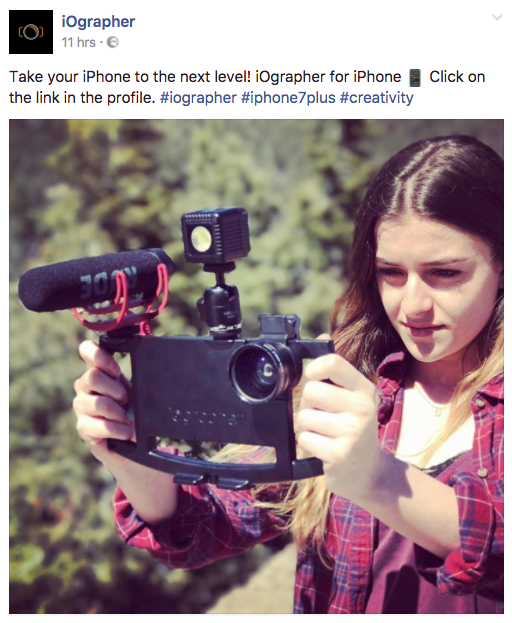
3. Mari Smith (the “Queen of Facebook”) does a lot of Live streaming and has put together a bundle of kit that she uses for her mobile Live sessions (when she is out and about). She has an iPhone 6+ (currently) and uses this kit for great sound, lighting and a steady hand. Dave Basalt at iOgrapher has put together a Mari bundle you can check out.
4. Joel Comm did a really comprehensive blog post on Social Media Examiner’s Blog zooming in on going live in 360 (think panoramic…but on epic scale). Read this post “How to Facebook Live 360 video for Marketing” as soon as possible if this is something up your alley.
Got any questions? Pop them below and I’d happy to help.