


 By
By I have just upgraded my computer to an iMac with a 27 inch screen . . . and am getting used to the newness of it all. Change is one of those things that people find both annoying and intimidating. People don’t like change until they give it a go. Social Media platforms are infamous in this regard, constantly updating and changing . . . it can sometimes drive you nuts!
However, when I first looked at my Pinterest account, with its wonderful new and improved look on my new Screen – it was certainly a feast for the eyes. So, I decided that this is the perfect subject for my next post for you.
Let’s take a look at what has changed.
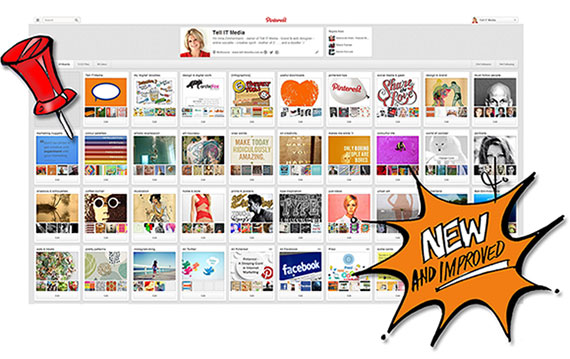
More ways to SEE what you Love. The new Pinterest looks simpler and cleaner, without requiring you to learn anything new. Pins are now bigger, so you really can see more of what you love. Switching back to the old look to compare made me decide I was going to leave it for good.
More ways to DISCOVER what you Love. Now you have a close-up view of Pins…helping you discover things you love that you might not have known about otherwise, including:
- “Pins from the same board”: You can explore the entire board without leaving the page you’re on.
- “Pins from the same source”: Here you’ll find other things Pinned from the same website.
- “People who pinned this also pinned”: This is literally what it says it is.
I have illustrated 1, 2 and 3 for you here in this screenshot:
Have I tempted you to try the New Look Pinterest yet? Here’s a neat step-by-step guide from Social Media Examiner which can help you get started.
More ways to BACKTRACK
Pinners don’t like losing their place when browsing. Now, when you scroll through pins and click on something that interests you, the back button lands you right back where you were no matter how far you’ve gone. Cool!
More ways to track PERFORMANCE A few months back when Pinterest introduced its new Business Accounts . . . we couldn’t help thinking that they would introduce the analytics tool somewhere along track.
The analytics tool is free and available to you so long as you have verified your business account. Here’s a handy post from Hubspot, aptly called: “Pinterest Finally Rolls Out Business Accounts: How to Set Up Yours Today” – where you can read about how to set-up your business account or switch from your personal account to a business account if you haven’t already done so.
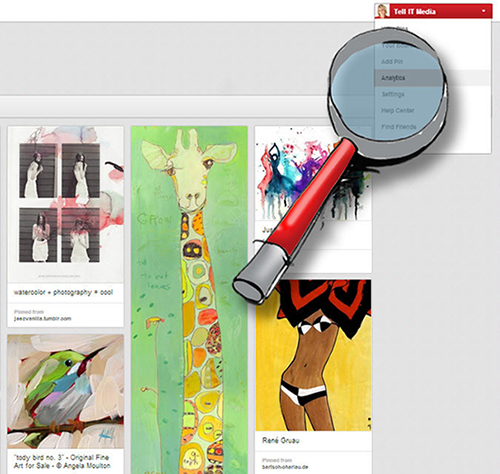
When you have verified your website, scroll on the top right hand corner and click on Analytics in the drop down menu. Marketers should be ‘jUmPiNg Up & dOwN’. Some of the things this web analytics will show is:
- The number of Pins that are generated from your site
- The number of Repins, impressions, reach and clicks of those pins
- Most recent, repinned and clicked pins from your site
- Number of Pins from your site over time and unique Pinners and repinners
- The most recent Pins from your site, the most repinned and the most clicked!
. . . and you also have the option to download all of this data. Why not have a play!
For a good overview why not check out this Pintastic Infographic from Mashable called Everything You Need to Know About the New Pinterest that runs you through the new design; features that have been removed; and a bit about the Web Analytics!
Till next time ツ